


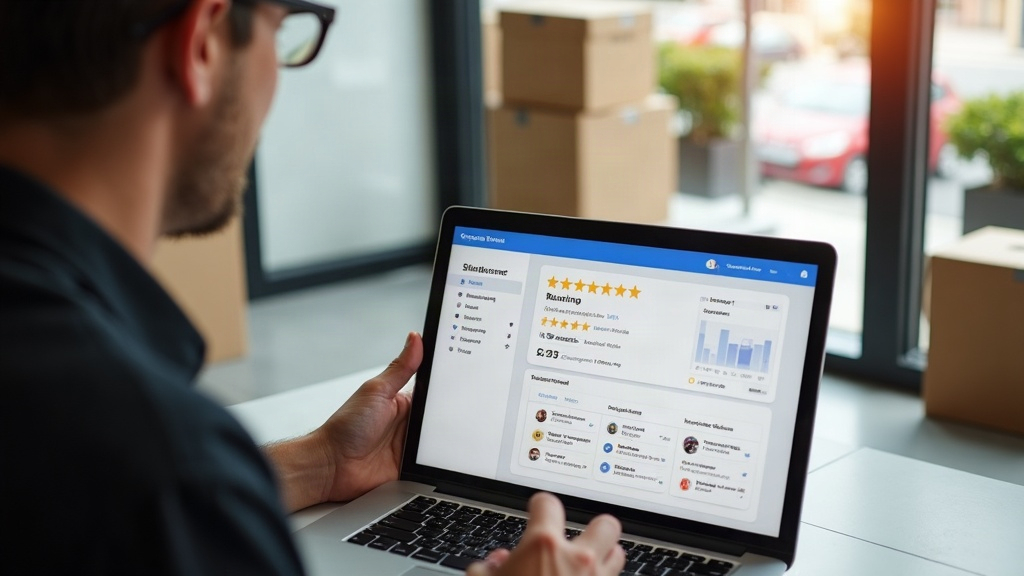
Yes, Google Business Profile reviews absolutely help SEO — and that’s precisely why so many NYC businesses get nervous when a location closes or moves. If you’re wondering does Google My Business help SEO enough to worry about preserving your review history, the answer is clear: your accumulated reviews are one of the strongest local ranking signals you have, and mishandling them during a closure or relocation can quietly erase years of trust-building overnight.
This matters constantly in a city like New York, where leases end, rents spike, and businesses relocate from one neighborhood to another far more often than in most markets. A dentist moving from the Upper East Side to Midtown, a restaurant shifting from Williamsburg to Bushwick, or a retailer consolidating two storefronts into one — each of these moves touches a Google Business Profile that took years to build. Handle it wrong, and you start from zero. Handle it right, and your reviews, rankings, and reputation travel with you.
Why Reviews Matter So Much for Google My Business Local SEO
Google’s local algorithm weighs three core factors: relevance, distance, and prominence. Reviews feed directly into prominence — the system’s measure of how well-known and trusted a business is. Review count, review recency, and average rating all factor into how your profile ranks in the Local Pack and Maps results.
This is the foundation of local SEO Google My Business work: a profile with 150 recent, positive reviews consistently outperforms a nearly identical profile with 12 reviews, all else being equal. Reviews also generate keyword-rich content written by real customers, which Google can associate with your business and services.
- Volume: more reviews generally signal more real-world activity and trust.
- Recency: a steady stream of fresh reviews matters more than a pile from three years ago.
- Rating: higher average ratings correlate with better click-through and conversion from the map pack.
- Response behavior: owner responses show engagement and can reinforce relevant keywords naturally.
Understanding this is the whole reason Google My Business SEO services exist — because the profile isn’t just a listing, it’s a ranking asset that compounds in value over time.
What Actually Happens to Reviews During a Closure
When a business permanently closes its Google Business Profile, the listing is marked “Permanently Closed” and eventually stops showing in search and Maps. The reviews attached to that profile do not transfer anywhere automatically. If you create a brand-new profile at a new address, you start with zero reviews, zero history, and a fresh trust curve with Google.
This is the single biggest mistake NYC business owners make during a move: closing the old listing and spinning up a new one instead of updating the existing profile’s address. It feels tidy, but it throws away the exact asset — review history — that took years to accumulate.
The Move Scenario (Same Business, New Address)
If you’re the same legal business, same ownership, same core services, and simply relocating — even across boroughs — the correct move is almost always to edit the existing profile’s address rather than create a new listing. Google allows this, and it’s the standard path for preserving reviews, star rating, Q&A history, and photos.
The True Closure Scenario (Business Ending or Being Sold)
If the business itself is closing for good, or ownership is changing hands entirely, marking the profile “Permanently Closed” is appropriate and honest. A new owner typically needs to either claim the existing profile (if the business type and brand are continuing) or, in genuinely new ventures, start fresh — understanding that reviews will not carry over.
| Situation | Recommended Action | Review Impact |
|---|---|---|
| Relocating, same business/ownership | Update address on existing profile | Reviews, rating, and history preserved |
| Closing multiple locations into one | Keep the strongest profile, close the others, add redirect/mention in posts | One profile’s reviews preserved; others lost |
| Business permanently closing | Mark profile “Permanently Closed” | Reviews remain visible but frozen, eventually delisted |
| New ownership, new concept entirely | Create new profile | No review transfer; starts at zero |
Step-by-Step: Handling a Location Move the Right Way
A relocation is the scenario most NYC businesses actually face, so here’s the sequence that protects your reviews and your rankings.
- Update the address first, don’t close anything. Go into the existing Google Business Profile and edit the address field to the new location.
- Update NAP consistency everywhere. Your name, address, and phone number need to match across your website, citations, and directories — inconsistency confuses Google’s confidence in the listing.
- Post a Google Update about the move. Use the Posts feature to announce the new address, and mention it in a handful of new review responses so the change is documented contextually.
- Update your website’s location pages and schema markup to reflect the new address immediately, not weeks later.
- Keep requesting reviews post-move. New reviews that reference the new neighborhood reinforce relevance for the new location’s local searches.
- Monitor for duplicate listings. Sometimes an old address gets re-indexed as a separate “suggested” listing — report and merge these quickly before they fragment your reviews.
If the move also shifts you into a different neighborhood’s competitive landscape — different nearby competitors, different search volume, different local intent — it’s worth a deeper look at how your local SEO strategy should adjust, not just your profile address.
Consolidating Multiple NYC Locations Into One
Many businesses closing a location aren’t shutting down entirely — they’re consolidating. A two-location business becoming a one-location business needs to make a deliberate choice about which profile survives.
- Keep the profile with the stronger review count and rating, not necessarily the original or “main” location.
- Mark the closing location as “Permanently Closed” rather than deleting it — deletion can look confusing to Google’s systems and to customers who find it elsewhere.
- Add a Google Post and website banner directing customers from the old location to the surviving one.
- Update internal links, citations, and any directory listings tied to the closed address.
This is where a lot of the real analytical work happens. An agency that genuinely understands think local SEO Google My Business audits will check every citation source, every directory, and every schema reference before and after the consolidation — because missed updates are what cause reviews and rankings to fragment across two competing listings instead of strengthening one.
Responding to Reviews Through the Transition
Customers don’t always notice a business moved before they leave a review, and some reviews will specifically mention the old location or express confusion about the change. Respond to every one of these directly and clearly.
- Thank the reviewer and confirm the new address in your response — this doubles as a location signal for Google.
- Address any negative reviews tied to transition confusion (parking, signage, temporary closures) calmly and factually.
- Avoid copy-pasted generic responses; specific, warm replies read better to both customers and Google’s quality systems.
Review responses are an underused piece of SEO local Google My Business strategy. They’re free, they’re permanent, and they let you naturally reinforce your new address, your services, and your service area in Google’s own words next to your own.
Don’t Forget Your Google Business Profile’s Supporting Signals
Reviews are the most visible trust signal, but they don’t work in isolation. During a closure or move, it’s worth revisiting the whole profile rather than touching only the address field.
- Update business hours if the new location has different hours.
- Refresh photos to reflect the new storefront or office.
- Re-check your category selections — a new location sometimes justifies new or additional categories.
- Verify your service area settings if you serve multiple NYC boroughs rather than a single walk-in radius.
For businesses running on WordPress or Shopify, this is also a natural moment to confirm your local business schema and NAP data are synced with the profile — something covered in more depth in our WordPress SEO services and Shopify SEO services work, since inconsistent structured data can undercut even a perfectly handled profile move.
When a Full Local SEO Audit Makes Sense
A closure or move is one of the few moments where a full audit pays for itself immediately. You want to confirm:
- No duplicate or “ghost” listings exist for the old address.
- All major citation sources (Yelp, Apple Maps, data aggregators) reflect the new location.
- Reviews and star rating transferred cleanly and are still accruing.
- Rankings for your core local searches haven’t dropped during the transition window.
This kind of systematic checkup is exactly what dedicated Google My Business SEO services are built for — catching the small inconsistencies that individually seem minor but collectively tank a profile’s visibility right when a business can least afford it.
Bringing It All Together
A location closure or move doesn’t have to cost you the reviews and rankings you’ve spent years earning. The core principle is simple: if it’s the same business, update rather than recreate. If it’s a true closure, mark it honestly and manage the transition’s review responses with care. Either way, NAP consistency, timely Google Posts, and ongoing review requests are what carry your reputation across the finish line intact.
If you’re navigating a move, consolidation, or closure in New York and want a second set of eyes on your Google Business Profile before anything changes, our team at Robert Gerov Media is glad to walk through it with you — no pressure, just a clear read on what to protect. You can also find our own profile and client reviews on Google whenever you’re ready to compare notes.
Tells Google to show you more from Robert Gerov Media in Search.
Related Posts
Struggling with rising CPCs? Learn how to diagnose low Quality Score in google ppc advertising accounts with a step-by-step NYC-focused checklist.
How to Diagnose Low Quality Score Issues in NYC Google Ads Accounts
What is WordPress SEO and how can NYC publishers protect rankings during core, plugin, or theme updates? A practical checklist for before and after.
What Is WordPress SEO? A Guide for NYC Publishers During Updates
Expert Shopify SEO tips for NYC merchants expanding internationally: URL structure, hreflang, and currency setup that avoid duplicate content and rank drops.
Shopify SEO Tips for Multi-Currency and International Storefronts
What is ecommerce SEO for same-day delivery? Learn how NYC online stores should structure pages, schema, and links to rank and convert local shoppers.
What Is Ecommerce SEO? Structuring NYC Same-Day Delivery Pages
Does Google My Business help SEO after a closure or move? Learn how NYC businesses can protect reviews, rankings, and reputation during the transition.
Does Google My Business Help SEO? Managing Reviews After a Move
Learn how to use AI for SEO the right way — research, drafting, audits, and AI search optimization — without sacrificing quality or rankings.
How to Use AI for SEO: A Practical Guide for New York Businesses
What is enterprise SEO and how do large organizations align stakeholder KPIs across departments? A practical breakdown of frameworks, audits, and tools.
What Is Enterprise SEO? Aligning Stakeholder KPIs Across Teams
What is national SEO and how do you keep landing pages consistent across markets? Learn the strategy, pitfalls, and systems that keep brands cohesive at scale.
What Is National SEO? How to Keep Landing Pages Brand-Consistent
Learn how to do local SEO for voice search queries, from Google Business Profile optimization to conversational content, built for NYC’s competitive market.
How to Do Local SEO for Voice Search: A Guide for NYC Businesses
What is an answering service and how should NYC medical and dental offices script after-hours calls? Learn triage steps, HIPAA tips, and cost factors.