


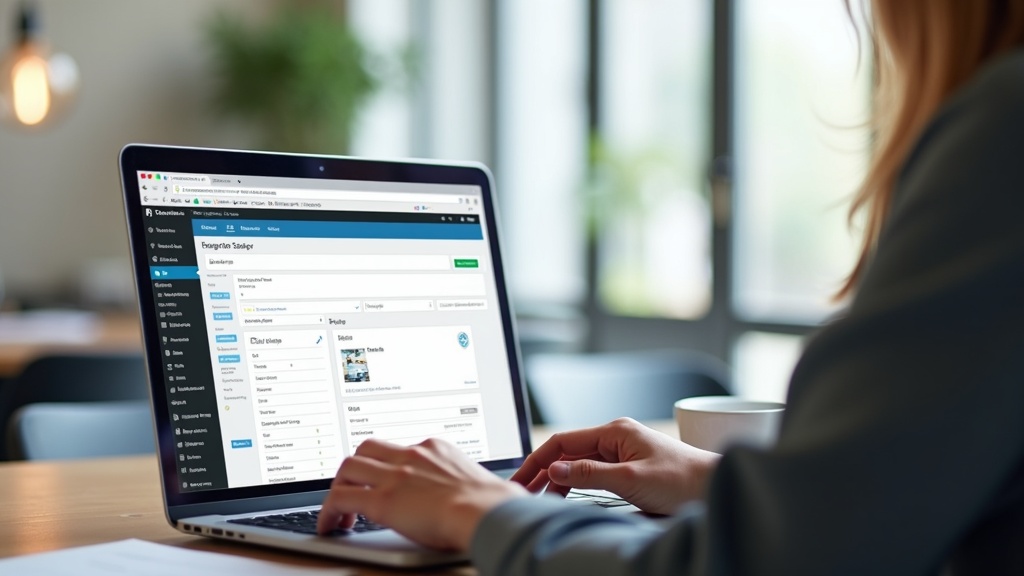
The SEO title in WordPress is the headline that appears in Google’s search results and in browser tabs — and it’s set separately from your page or post title, usually through your SEO plugin’s meta box below the content editor. If you’ve never touched it, WordPress and your SEO plugin are quietly generating one for you, and it’s rarely the version that ranks best or earns the most clicks.
That single setting is often the most overlooked lever on a WordPress site. But it’s not the only one. Permalink structures and category settings work alongside it, and when any of these three are misconfigured, they quietly undermine everything else you’re doing for search visibility.
Where Is the SEO Title in WordPress?
If you’re using Yoast SEO, Rank Math, or a similar plugin, scroll below the main content editor on any post or page. You’ll find a snippet preview box showing how the page will look in Google search results, with an “SEO title” field you can edit directly.
This is different from the big title field at the top of the editor. That top field is your on-page headline (wrapped in an H1 tag). The SEO title field controls the <title> tag in your page’s HTML — the text that shows up as the clickable blue link in search results.
- Page title (H1): what visitors see on the page itself
- SEO title (title tag): what shows in Google’s results and browser tabs
- Meta description: the summary text below the SEO title in search results
Without a plugin, WordPress defaults to using your post title as the title tag, sometimes with your site name appended. That’s not necessarily wrong, but it means you’re leaving keyword placement, click-through optimization, and character length entirely to chance.
How to Improve SEO on WordPress by Fixing Your Title Tags
Once you know where the SEO title lives, the real work is writing ones that actually perform. A generic or auto-generated title tag rarely reflects search intent, and Google will sometimes rewrite it for you if it thinks it can do better — which is a sign your original wasn’t pulling its weight.
What makes an SEO title effective
- Keep it under roughly 60 characters so it doesn’t get truncated
- Place your primary keyword near the beginning
- Make it distinct from every other title on your site — duplicate titles confuse search engines about which page to rank
- Write for a human first; keyword-stuffed titles get skipped over in results
- Avoid repeating your homepage title on every single page
This sounds simple, but on sites with hundreds of posts, category archives, and product pages, title tags drift out of control fast. Old templates get reused, plugins auto-fill defaults, and nobody notices until traffic quietly plateaus.
Permalinks: The Setting Most WordPress Sites Get Wrong
Your permalink structure is set under Settings → Permalinks in the WordPress dashboard, and it determines the actual URL structure for every post and page on your site. Many sites still run on the default ?p=123 structure or a date-based format like /2024/03/15/post-title/, both of which work against SEO in different ways.
Why this quietly hurts rankings
- Date-based URLs make evergreen content look outdated, which can suppress click-through even when the information is still accurate
- Numeric or ID-based URLs give search engines and users zero context about the page’s topic
- Overly long URLs with unnecessary category nesting dilute keyword relevance and look messy in search results
- Changing permalinks after a site has been indexed without proper 301 redirects can tank rankings on previously strong pages
The safest structure for most WordPress sites is /%postname%/ — a clean, keyword-friendly URL with no unnecessary dates or IDs. If your site currently uses something else and has meaningful traffic, this is a change that needs redirects handled carefully, not flipped on a whim.
Categories: A Setting That’s Easy to Ignore and Costly to Get Wrong
WordPress categories aren’t just an organizational nicety — depending on your permalink settings, they can become part of your URL structure, and they always shape your site architecture in the eyes of search engines. Loose category habits create real SEO damage over time.
Common category mistakes
- Assigning posts to multiple categories, which creates duplicate content across different URLs
- Leaving the default “Uncategorized” label active on published content
- Creating a new category for nearly every post, fragmenting topical authority instead of building it
- Letting category archive pages sit thin, with no description and only a handful of posts, then indexing them anyway
The fix isn’t complicated, but it requires discipline: keep categories broad and few, assign one primary category per post, and either flesh out category archive pages with real context or set thin ones to noindex. Done well, categories reinforce topical relevance instead of splitting it across competing URLs.
| Setting | What It Controls | Common Mistake |
|---|---|---|
| SEO Title | Title tag shown in search results | Left as plugin default or duplicated across pages |
| Permalinks | URL structure for every post/page | Date-based or ID-based URLs with no keyword context |
| Categories | Site architecture and topical grouping | Multiple categories per post, thin unindexed archives |
How These Three Settings Interact
None of these settings operate in isolation. A well-written SEO title on a page buried under a messy permalink and scattered across three overlapping categories still underperforms, because the underlying architecture is sending mixed signals to search engines.
Think of it as a chain: categories define your site’s structure, permalinks turn that structure into readable URLs, and SEO titles tell search engines and searchers exactly what’s on the other end of that URL. Weakness in any one link affects how the other two are interpreted and crawled.
This is also why sites that have grown organically over several years — new posts added ad hoc, plugins changed, themes updated — tend to accumulate the most SEO debt in exactly these three areas. Nobody sets out to break their own architecture; it just happens one uncategorized post and one default title tag at a time.
How to Improve WordPress SEO Without Starting From Scratch
You don’t need to rebuild a site to fix these issues, but you do need to approach changes in the right order and with the right safeguards, especially around permalinks.
- Audit before you touch anything. Export a list of current URLs, titles, and category assignments so you know what you’re working with
- Fix SEO titles first. This is low-risk and high-value — no redirects needed, just better copy
- Consolidate categories carefully. Merge overlapping ones and reassign posts to a single primary category
- Change permalinks last, and only with 301 redirects mapped for every affected URL
- Re-check internal links after any URL changes so you’re not linking to outdated paths
For sites with substantial content history or ecommerce catalogs, this kind of cleanup benefits from a structured technical review rather than a piecemeal approach — that’s exactly the kind of work covered under WordPress SEO services, where title tags, permalink structures, and taxonomy are audited together instead of one setting at a time.
When Site Structure Issues Point to a Bigger Strategy Gap
Fixing titles, permalinks, and categories solves the technical foundation, but it’s still just the foundation. A New York business competing for local search visibility, for instance, needs that clean architecture paired with the kind of on-page and off-page strategy covered in local SEO services, where technical fixes and local relevance signals work together rather than in separate silos.
The same logic applies whether you’re running a content-heavy blog, a service business site, or a WordPress store — the settings discussed here are universal, but how aggressively you should prioritize fixing them depends on your traffic goals and how much organic visibility is currently at stake.
Bringing It All Together
The SEO title field, your permalink structure, and your category settings are three of the quietest, most consequential dials on a WordPress site. None of them require dramatic redesigns to fix, but all three reward careful, deliberate attention rather than defaults left untouched since launch.
If you’ve read this far wondering how your own site’s titles, URLs, and categories actually look under the hood, that curiosity is worth acting on eventually — whether that means poking around your own dashboard this weekend or having someone experienced take a structured look. Robert Gerov Media’s Google Business Profile has more on how the team approaches this kind of work, and reaching out is always an option whenever you’re ready to have these settings reviewed properly.
Tells Google to show you more from Robert Gerov Media in Search.
Related Posts
Struggling with rising CPCs? Learn how to diagnose low Quality Score in google ppc advertising accounts with a step-by-step NYC-focused checklist.
How to Diagnose Low Quality Score Issues in NYC Google Ads Accounts
What is WordPress SEO and how can NYC publishers protect rankings during core, plugin, or theme updates? A practical checklist for before and after.
What Is WordPress SEO? A Guide for NYC Publishers During Updates
Expert Shopify SEO tips for NYC merchants expanding internationally: URL structure, hreflang, and currency setup that avoid duplicate content and rank drops.
Shopify SEO Tips for Multi-Currency and International Storefronts
What is ecommerce SEO for same-day delivery? Learn how NYC online stores should structure pages, schema, and links to rank and convert local shoppers.
What Is Ecommerce SEO? Structuring NYC Same-Day Delivery Pages
Does Google My Business help SEO after a closure or move? Learn how NYC businesses can protect reviews, rankings, and reputation during the transition.
Does Google My Business Help SEO? Managing Reviews After a Move
Learn how to use AI for SEO the right way — research, drafting, audits, and AI search optimization — without sacrificing quality or rankings.
How to Use AI for SEO: A Practical Guide for New York Businesses
What is enterprise SEO and how do large organizations align stakeholder KPIs across departments? A practical breakdown of frameworks, audits, and tools.
What Is Enterprise SEO? Aligning Stakeholder KPIs Across Teams
What is national SEO and how do you keep landing pages consistent across markets? Learn the strategy, pitfalls, and systems that keep brands cohesive at scale.
What Is National SEO? How to Keep Landing Pages Brand-Consistent
Learn how to do local SEO for voice search queries, from Google Business Profile optimization to conversational content, built for NYC’s competitive market.
How to Do Local SEO for Voice Search: A Guide for NYC Businesses
What is an answering service and how should NYC medical and dental offices script after-hours calls? Learn triage steps, HIPAA tips, and cost factors.